

An invoice is typed into the ERP, then typed again into the e-invoicing portal. A payroll run is exported to a spreadsheet so that finance can post it by hand. Every month, someone reconciles the two and finds a difference that takes a day to explain.
None of this is a software problem. Each system is doing its job. The problem is the gap between them, and the person who has to carry data across it.
System integration closes that gap. The data is entered once, in the system that owns it, and every other system that needs it receives it automatically. Here are six integrations our team has delivered, and what we have learned building them.
What it costs when systems do not talk
- The same data is typed twice. Every re-entry is a chance for a wrong digit, and an hour of someone's day that produces nothing new.
- There are two versions of the truth. HR's payroll total and finance's posting disagree, and month-end turns into an investigation.
- Compliance waits for a person. An invoice that ZATCA must clear cannot wait for someone to export a file and upload it.
An integration fixes the cause rather than the symptom.
Six integrations, already live
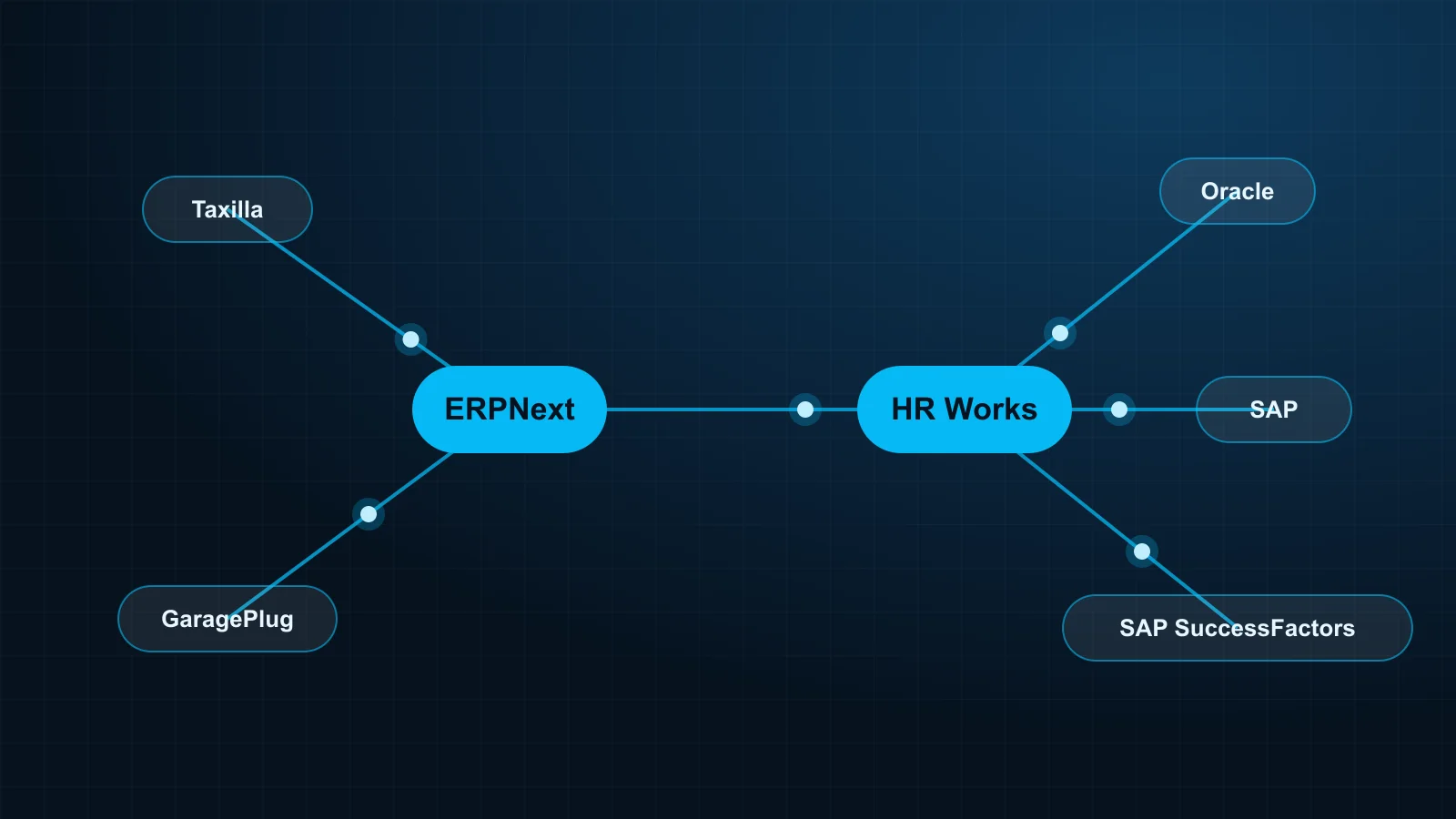
ERPNext and Taxilla: e-invoicing without leaving the ERP
Sales invoices, credit notes and debit notes go from ERPNext to Taxilla for validation and ZATCA clearance. The cleared status, the invoice UUID and the QR code come back onto the invoice in ERPNext. The finance team never opens a second screen.
HR Works and ERPNext: payroll in the books the day it is approved
Each approved payroll run in HR Works posts to ERPNext as journal entries, by cost centre. Cost centres and the chart of accounts stay aligned with finance, so the posting is right the first time.
GaragePlug and ERPNext: one set of numbers for the workshop and finance
Workshop invoices, payments and parts used in GaragePlug reach ERPNext accounts and inventory. Items, prices and customers stay the same in both systems.
HR Works and Oracle
Payroll results post to Oracle financials, and the organisation structure and cost centres come from Oracle. Local payroll and attendance run in HR Works, with Oracle as the financial record.
SAP SuccessFactors and HR Works
Employee master data flows from SuccessFactors into HR Works, and attendance and payroll results return for reporting. The group keeps SuccessFactors as its global HR platform; Saudi payroll and time attendance run in HR Works.
HR Works and SAP
Payroll postings reach SAP finance, and cost centres and organisation data come from SAP. HR Works handles people and time; SAP stays the system of record for finance.
In the last three projects, Oracle, SAP and SuccessFactors were the customers' existing platforms. We connect whatever you already run, not only the products we sell.
Five ways to connect two systems
We choose the method by what each system supports:
- API or SDK. The preferred route when both systems expose one. It is fast and suits real-time exchange.
- Web services. SOAP and REST services, common on enterprise platforms.
- FTP or SFTP. Scheduled, secure file exchange for systems that work in batches.
- Staging tables. A shared set of database tables that one system writes and the other reads.
- Custom connectors. Purpose-built middleware when a system offers none of the above.
Timing follows the process. ZATCA clearance happens as the invoice is issued; a payroll posting happens once per approved run.
What keeps an integration reliable
Building the link is the easy part. Keeping it trustworthy for years is what matters, and it comes down to four rules:
- One owner per field. Each piece of data has one system of record, so the two sides never argue.
- Failures are visible. A record that does not go through is logged and retried. It is never dropped silently.
- Both sides reconcile. Counts and totals are compared, so a gap is found the same day.
- Access is limited. The link uses its own credentials, with only the permissions it needs.
Every project follows the same five steps: we map the data and decide who owns each field, design the method and the failure handling, build against test environments of both systems, test with real cases until counts and totals reconcile, then go live and support the link when either system changes.
Tell us the two systems
If two of your systems need the same data, they can be connected. Send us the names of the systems and the data you want to move, and we will reply with the method we recommend and what we need to scope it.